
Tips for Organizing Files on Your Computer Efficiently
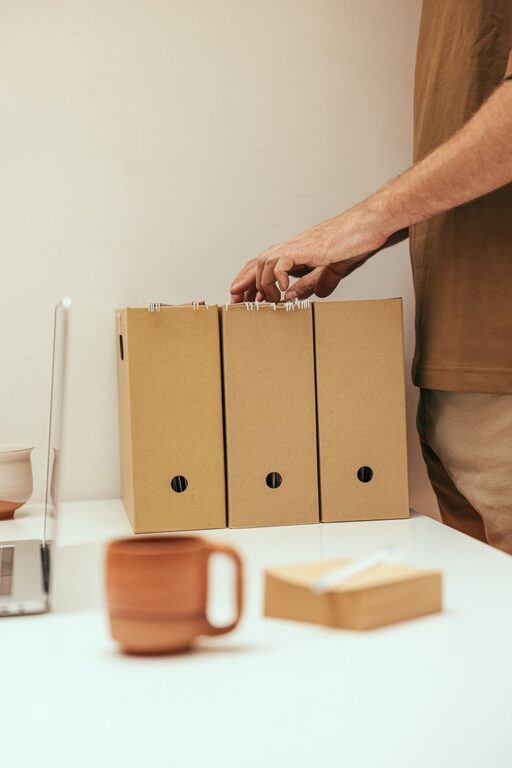
Keeping your files organized on your computer can save you time, reduce stress, and improve productivity. Whether you use your computer for work, school, or personal projects, having a clear system in place makes it easier to find important documents and avoid clutter. In this post, we’ll share practical tips to help you organize your files efficiently.
Why Organize Your Files?
Before diving into the tips, it’s helpful to understand why file organization matters. When files are scattered across your desktop or hidden in random folders, you can waste valuable time searching for what you need. Organized files create a smoother workflow, reduce duplicate files, and even help with backup and data recovery.
Start with a Clear Folder Structure
A well-planned folder structure is the foundation of good file organization. Here’s how to create one:
1. Use Broad Categories First
Begin by creating main folders that cover broad topics or areas of your life, such as “Work,” “Personal,” “School,” or “Photos.” This helps separate different types of files and creates a clear starting point.
2. Create Subfolders
Inside each main folder, add subfolders to narrow down categories. For example, inside “Work,” you might have folders for “Projects,” “Reports,” and “Meetings.” For “Photos,” subfolders could be organized by year or event.
3. Keep Folder Names Simple and Consistent
Use clear and consistent naming conventions for folders. Avoid spaces or special characters that can complicate file paths. For example, instead of “My Photos 2023,” use “Photos_2023” or “Photos-2023.”
Naming Files for Easy Identification
File names are crucial for quick identification without opening the file.
1. Be Descriptive
Use names that describe the contents clearly, such as “Budget_Report_March2024” or “Vacation_Paris_2023.”
2. Include Dates When Relevant
Including dates in file names is helpful for tracking versions or finding recent documents. Use the format YYYYMMDD (e.g., 20240415) for easy sorting.
3. Avoid Long Names
Keep file names concise but meaningful. Long file names can be confusing and may cause issues on some systems.
Use Tags and Metadata (If Available)
Some operating systems and applications allow you to add tags or metadata to files. Tags can be keywords that describe the file’s content, making it easier to search across folders. Check your system’s file explorer settings or use apps that support tagging for enhanced organization.
Regularly Clean Up and Delete Unnecessary Files
File organization is an ongoing process, not a one-time task. Schedule regular times to review your files and remove duplicates, outdated documents, or things you no longer need. This keeps your storage uncluttered and easy to navigate.
Back Up Your Files
While organizing files is important, backing them up is just as crucial. Use an external hard drive, cloud storage, or both to keep copies of your important documents. A clear folder structure makes backing up and restoring files much simpler.
Take Advantage of File Management Tools
There are many tools designed to help manage and organize files:
– Duplicate file finders: Identify and remove duplicate files to free up space.
– File synchronizers: Keep files synchronized between multiple devices.
– Automation scripts: Automatically move or rename files based on rules.
Depending on your needs, discovering the right tools can save you time and effort.
Tips for Specific Scenarios
Organizing Photos
– Sort photos by date or event.
– Use albums or collections if your photo management software supports them.
– Regularly delete blurry or duplicate images.
Managing Work Documents
– Use project-based folders.
– Keep versions labeled with dates or version numbers.
– Separate drafts from final versions.
Handling Downloads and Temporary Files
Downloads folders tend to get messy quickly. Make it a habit to move files from “Downloads” to the appropriate folders or delete unnecessary files regularly.
Final Thoughts
Organizing your computer files doesn’t have to be overwhelming. Start small with a simple folder system and naming convention, then build on it gradually. Regular maintenance and clear habits will keep your digital workspace tidy and efficient. With these tips, you’ll spend less time searching and more time being productive.